Blog / Jacksonville Mazda Dealer

A Simple Guide to Using Apple CarPlay and Android Auto in Your Mazda

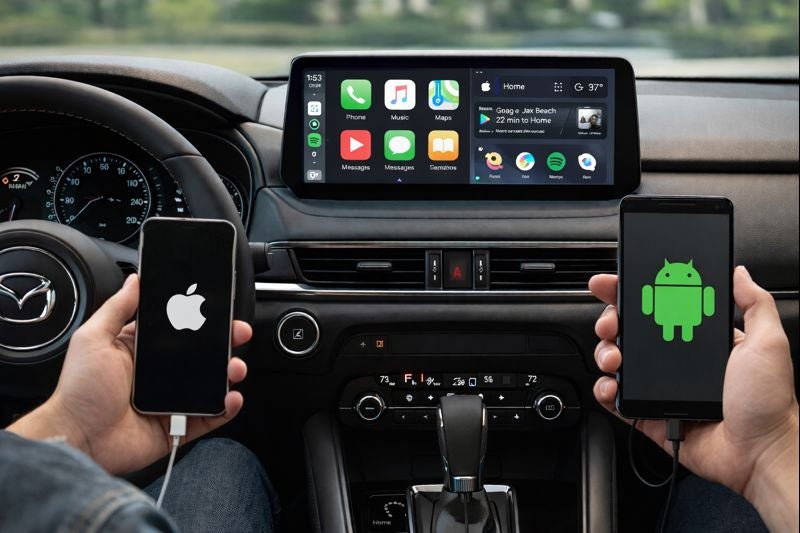
Apple CarPlay and Android Auto are no longer viewed as optional features. For many drivers, they are core usability systems that shape how navigation, communication, and media function every day. Mazda integrates these platforms with a human centered design philosophy that prioritizes driver focus, system stability, and intuitive control rather than touchscreen dependency alone.

This guide explains how Apple CarPlay and Android Auto work in Mazda vehicles, how to connect them properly, what system behaviors to expect while driving, and why Mazda’s interface design differs from some competitors.

How Apple CarPlay and Android Auto Work in Mazda Vehicles

Apple CarPlay and Android Auto are projection systems. They do not replace Mazda’s infotainment software. Instead, they mirror supported apps from your phone onto the vehicle display while using Mazda’s input controls.

Mazda routes these systems through:

  • The center display screen
  • The multifunction command knob
  • Steering wheel controls
  • Voice command integration

This approach reduces the need to reach forward and touch the screen while driving, which aligns with Mazda’s emphasis on minimizing driver distraction.

Connecting Apple CarPlay in Your Mazda

Most recent Mazda models support Apple CarPlay through a wired USB connection, while select newer trims and model years also support wireless functionality depending on configuration.

To connect Apple CarPlay:

  • Use an Apple approved Lightning cable or enable wireless pairing if supported
  • Plug the phone into the designated USB port or complete Bluetooth pairing
  • Accept the CarPlay prompt on both the vehicle screen and the phone
  • Select CarPlay from the Mazda infotainment menu if it does not launch automatically

Once connected, Apple CarPlay allows access to Apple Maps, Google Maps, Apple Music, podcasts, messages, and supported third party apps.

Connecting Android Auto in Your Mazda

Android Auto follows a similar process but requires additional phone side permissions during initial setup.

To connect Android Auto:

  • Use a high quality USB cable or wireless pairing if available
  • Enable Android Auto permissions on the phone
  • Accept prompts for contacts, messages, and media access
  • Select Android Auto from the infotainment menu

Android Auto supports Google Maps, Waze, Spotify, Google Assistant, and compatible messaging apps.

Why Mazda Uses the Command Knob Instead of Full Touch Control

One of the most common questions drivers ask is why Mazda limits touchscreen interaction while driving. This is intentional.

Mazda’s interface philosophy is based on research showing that:

  • Reaching for a touchscreen increases eye off road time
  • Rotational and directional controls can be used by feel
  • Muscle memory improves control accuracy over time

The command knob allows drivers to navigate menus, maps, and media with minimal visual attention. Touch input is typically enabled only when the vehicle is stopped or moving at very low speeds, depending on model year.

Using Navigation Through CarPlay and Android Auto

Navigation is one of the most heavily used features within both platforms.

Apple CarPlay supports:

  • Apple Maps with real time traffic
  • Google Maps
  • Waze

Android Auto supports:

  • Google Maps
  • Waze
  • Other supported navigation apps

In Mazda vehicles, navigation prompts are displayed clearly while voice guidance is routed through the vehicle audio system. Map zooming, route selection, and destination input are handled through the command knob or voice commands rather than touchscreen taps.

Music, Podcasts, and Media Playback

Media playback through CarPlay and Android Auto integrates seamlessly with Mazda’s audio system.

Supported functions include:

  • Streaming music services
  • Podcast apps
  • Audiobook playback
  • Album and playlist browsing
  • Steering wheel audio controls

Mazda’s sound tuning ensures consistent volume levels and clarity regardless of whether audio originates from the vehicle system or a projected app.

Common Connection Issues and How to Avoid Them

When CarPlay or Android Auto does not work as expected, the issue is often related to the phone rather than the vehicle.

Common causes include:

  • Outdated phone operating system
  • Low quality or damaged USB cable
  • Disabled permissions on the phone
  • App restrictions or background limitations
  • Incompatible device models

Keeping phone software updated and using manufacturer approved cables resolves most connection issues.

Updating Mazda Infotainment and System Compatibility

Mazda infotainment software updates may improve stability or compatibility with newer phone operating systems. These updates are typically handled through authorized service visits rather than over the air downloads.

System compatibility depends on:

  • Vehicle model year
  • Infotainment generation
  • Phone operating system version

Not all features are retroactive, so shoppers should verify wireless support or specific behaviors by model year.

Why Mazda’s Integration Feels Different in Daily Driving

Mazda designs its infotainment systems around driver focus rather than feature overload. Apple CarPlay and Android Auto are integrated as tools that support navigation and communication without dominating the driving experience.

By emphasizing:

  • Controlled input methods
  • Clear visual hierarchy
  • Reduced distraction
  • Consistent system behavior

Mazda ensures that technology enhances driving rather than competing with it.

Final Perspective on CarPlay and Android Auto in Mazda Vehicles

Apple CarPlay and Android Auto in Mazda vehicles are designed to feel stable, intuitive, and purposeful. They deliver modern connectivity while respecting how drivers actually interact with technology on the road.

For shoppers who value clarity, ease of use, and reduced distraction, Mazda’s approach to smartphone integration offers confidence that technology serves the driver rather than the other way around.


Posted in:

Related Posts

First Time Car Buyer Guide Jacksonville Finance Prep

A first time car buyer guide for Jacksonville should begin with a budget, documents, insurance details, and clear financing questions. Preparation does not promise approval or a certain offer. However, it gives a lender the records needed to review the application. Start by setting a total vehicle range before choosing a Mazda. Include the price, taxes, registration, insurance, fuel, and future service. Therefore, the monthly payment should not stand alone. A longer loan term can lower the payment while raising the total paid. In addition, a larger upfront amount can reduce the amount financed. These choices should fit your full household budget. Can a First Time Shopper Finance a Mazda With No Credit? No credit and poor credit are not the same. No credit means a lender has little recorded borrowing history to review. Poor credit reflects recorded issues within an existing file. Financing may still be possible with limited history. However, each lender uses its own review process. Income, employment, residence, debt, and available records may all enter that review. A lender may also examine how long you have lived or worked in one place. Therefore, stable records can give the application more context. They do not guarantee approval. more First time shoppers should check their credit reports before applying. This step can reveal errors, old addresses, or unfamiliar accounts. In addition, it helps explain what a lender may see. Do not confuse limited history with negative history. This guide focuses on limited or no history. Recorded late payments, collections, or defaults require a separate finance discussion. Documents to Prepare Before Applying A complete file can reduce delays during the finance review. Which documents may be requested? Common records confirm identity, income, residence, employment, and insurance. Prepare these items before visiting: Bring a current government issued photo ID that matches the application name. Bring recent pay statements or other accepted income records requested by the lender. Bring proof of residence, such as a current utility bill or lease document. Bring insurance information or contact details for the provider you plan to use. Bring employer details, including its name, address, phone number, and your start date. Bring trade documents when another vehicle may enter the transaction. A lender may request other records after reviewing the application. Therefore, ask which documents apply before your appointment. Current program rules can also change. Make sure each record uses the same legal name and current address. Inconsistent details can slow the review. Furthermore, keep digital copies available in case another document is requested. Should a First Time Shopper Use a Cosigner? A cosigner joins the credit obligation and accepts legal responsibility for repayment. Should every first time shopper use one? No. The decision should follow a clear discussion about payment duty and credit risk. A lender may review the cosigner’s income, debt, and credit file. However, a cosigner does not remove the primary borrower’s duty. Both people can face credit harm after missed payments. Before asking someone to cosign, discuss the payment date, account access, and response plan for a missed payment. In addition, decide how both people will track the loan. Down payment planning belongs in the same discussion. Money paid upfront lowers the amount financed. A trade may also reduce that amount after value and payoff review. Use these questions before choosing an upfront amount: How much money will remain for insurance, registration, fuel, and early service? Will a larger upfront amount reduce the monthly payment enough for the budget? Does a trade have an existing payoff that must be cleared first? Will the lender or current program require a minimum upfront amount? Do not empty emergency savings only to lower the loan balance. Therefore, keep a reserve for costs that arrive after delivery. Prequalification and Finance Application Steps Prequalification gives an early estimate from the information supplied. It does not equal final approval. A full application requires deeper lender review and the selected Mazda details. Some prequalification tools may use a soft credit inquiry. Others may use a hard inquiry. Therefore, read the disclosure before submitting personal information. After prequalification, compare the estimated range with your vehicle budget. Then, choose a Mazda that fits the planned price range. The exact price, taxes, fees, and trade details will shape the final request. The full application may ask for identity, income, residence, employment, and credit information. In addition, the lender may request more documents before making a decision. Final terms can differ from an early estimate. Therefore, compare the written offer with the amount you planned. Do not rely on a verbal summary alone. What to Confirm Before Choosing a Mazda Before signing, review every number in the final agreement. Which figures matter most? Confirm the vehicle price, upfront amount, trade credit, financed amount, APR, term, payment, fees, and total payments. A lower payment may come from a longer term. Therefore, compare the total paid across the full loan. Also, confirm whether optional products appear in the financed amount. Review these final points: Confirm that the vehicle price matches the agreed figure. Confirm that the trade value and payoff appear correctly. Confirm the APR, loan term, monthly payment, and first payment date. Confirm every fee and optional product before signing. Confirm that the final paperwork matches the Mazda you selected. Keep copies of every signed document. Tom Bush Mazda maintains a first time owner page with current program details. Jacksonville shoppers can review that page before applying. In addition, the finance page and payment calculator can support early planning. A first time car buyer guide should lead to informed questions, not promises. Prepare the records, compare the full loan, and review every term. Then, choose the Mazda and finance path that fit your budget.

Mazda G Vectoring Control Plus Guide for Daily Driving

Mazda G Vectoring Control Plus adjusts engine torque and brief brake input in response to steering movement. What changes during a turn? The feature shifts a small amount of load toward the front tires, then settles the chassis as steering returns. Additionally, these actions happen through small control changes. Therefore, the driver still chooses the path, steering angle, speed, and braking. The feature works quietly in the background and supports a smoother link between steering input and vehicle motion. How Does Mazda G Vectoring Control Plus Work? Mazda G Vectoring Control Plus begins by reading steering movement. The driver turns the wheel, and the feature responds with a brief torque reduction. Therefore, a small amount of load moves toward the front tires. Moreover, that load change presses the front tires more firmly against the road. As a result, the Mazda can respond to the steering request with less need for small wheel corrections. What happens after the Mazda enters the curve? Engine torque returns as the vehicle follows the chosen path. Then, a brief brake input can act near corner exit. more Furthermore, the brake input targets the outside front wheel. Consequently, the chassis settles as the steering wheel moves back toward center. The action is small and may not feel like ordinary braking. Still, G Vectoring Control Plus does not turn the wheel for the driver. Instead, it responds to the steering already chosen. The driver still manages speed, spacing, lane position, and braking. What Happens During Turn Entry and Corner Exit? First, turn entry begins when the driver adds steering angle. The feature briefly lowers engine torque. Therefore, vehicle load moves forward and supports front tire response. Next, midway through the curve, torque returns. The Mazda can then follow the selected line without a sudden change in power. In addition, the driver may need fewer small steering corrections. Finally, corner exit begins as the wheel returns toward center. At that point, G Vectoring Control Plus can add slight brake pressure at the outside front wheel. As a result, the chassis settles during the transition back toward straight travel. Why does that sequence matter? A turn includes more than one movement. Entry, steady cornering, and exit each place a different demand on the tires. The feature links those stages through small torque and brake changes. However, tire grip still comes from tire tread, tire pressure, road surface, and speed. No control feature can replace sound tire care or careful steering. What May Drivers Notice During Daily Driving? Given that, G Vectoring Control Plus works through small changes, so the response may feel subtle. What may a driver notice? Steering can feel calmer through a curve, ramp, or lane change. A sweeping highway ramp gives the feature time to work through entry and exit. Therefore, the driver may make fewer small corrections while holding the chosen path. A lane change also includes steering input and steering return. The same sequence can support a smoother move into the next lane. In addition, the chassis may settle more cleanly as the wheel centers. Common driving situations include: A curved highway ramp can show how the Mazda responds during steady steering. A lane change can show how the chassis settles when steering returns toward center. A winding road can reveal whether the driver needs frequent small steering corrections. A turn around a parked vehicle can show the response at lower speed. The feature should not create a strong pedal pulse or sharp braking sensation. Therefore, a warning light, harsh pull, or unusual noise deserves inspection. G Vectoring Control Plus With All Wheel Drive and Other Controls By contrast, G Vectoring Control Plus and i Activ AWD handle separate tasks. The steering feature changes torque and brief brake input. The all wheel drive hardware manages power delivery between the axles. Can both work during the same turn? Yes. Steering data can support several vehicle controls, while each one keeps its own role. Therefore, coordinated action does not make them one feature. Traction control also serves a separate purpose. It responds when tire slip reaches a threshold. By contrast, G Vectoring Control Plus begins with steering movement and small load changes. Electronic stability control can add braking when the Mazda moves away from the intended path. G Vectoring Control Plus works earlier through subtle torque and brake input. However, the driver may never feel a distinct handoff between these controls. Moreover, tire state remains central. Worn tread, poor pressure, or damaged tires reduce available grip. Therefore, vehicle controls cannot restore traction that the tires cannot provide. Current Mazda Models and Test Drive Review Mazda lists G Vectoring Control Plus on several current vehicles, including the Mazda3, CX 30, and CX 5. However, model year and trim details can change. Shoppers should confirm the exact vehicle before relying on a broad lineup statement. What should a shopper test? Start with ordinary steering situations instead of searching for a dramatic response. The feature works through small changes, so smoothness matters more than one obvious action. During a test drive: Follow a curved ramp at a steady and legal speed. Make a safe lane change and notice how the Mazda settles afterward. Drive through several city turns and note the need for steering corrections. Compare steering response across two Mazda models with confirmed feature availability. Ask which trim and model year include the latest feature version. Tom Bush Mazda can connect Jacksonville shoppers with current Mazda3, CX 30, and CX 5 inventory. Each model offers a different size, seating layout, and cabin shape. Therefore, the same feature should be reviewed within the exact Mazda under consideration. Mazda G Vectoring Control Plus supports steering response through small torque and brake changes. Its purpose becomes clearest during curves, lane changes, and steering return. A careful test drive can show how those actions feel within one specific Mazda.

Mazda Certified Pre Owned Program Guide for Shoppers

Mazda Certified Pre Owned vehicles complete Mazda program review, inspection, history, and warranty requirements before certification. An ordinary used Mazda follows a separate dealership sale process. Therefore, official certification adds Mazda program records that shoppers can review before choosing a vehicle. What makes certification different from a familiar used listing? The distinction comes from program rules, completed checks, written coverage, and roadside support. In addition, each shopper should review the exact Mazda, its records, and its warranty documents. What Does Mazda Certified Pre Owned Mean? Mazda Certified Pre Owned status means a used Mazda met current program requirements before sale. A Mazda badge or dealership listing alone does not confirm certification. Therefore, shoppers should look for clear CPO labeling on the exact vehicle. The certification process begins when an eligible Mazda enters program review. Staff examine its history, current state, major components, and road test results. Any required corrections must occur before the Mazda receives official CPO status. more Does every used Mazda qualify? No. Some used Mazda vehicles remain outside the program because of age, mileage, history, or inspection findings. Therefore, certified and ordinary used listings may appear beside each other on the same inventory page. Official status gives shoppers a consistent set of program documents to examine. However, certification does not predict every future repair. A test drive, service record review, and careful walkaround still support a sound comparison. How the Mazda CPO Inspection Works Mazda uses a 160 point inspection within its current Certified Pre Owned program. The inspection reviews the vehicle through several mechanical, safety, body, cabin, and driving categories. Therefore, the point count represents many separate checks within one review. What does the inspection examine? It looks at major areas that shape the vehicle’s current state and operation. The road test also gives the inspector a chance to assess steering, braking, shifting, noise, and controls. The review covers broad areas such as: Inspectors examine the engine, drivetrain, fluids, brakes, steering, suspension, tires, and related mechanical parts. They review exterior panels, glass, lights, mirrors, trim, paint, and visible signs of prior damage. They check seats, controls, screens, climate equipment, locks, windows, safety equipment, and cabin materials. A road test checks acceleration, braking, steering response, transmission operation, noises, and warning indicators. The inspection count should not replace questions about the exact Mazda. Instead, ask whether listed corrections were completed and whether supporting records are available. In addition, confirm that the listing identifies the vehicle as Mazda Certified Pre Owned. Vehicle History and Record Review A physical inspection and a vehicle history report answer different questions. The inspection reviews the Mazda as it sits today. By contrast, the history report summarizes recorded events from earlier ownership. Does certification replace a history report? No. Mazda includes a CARFAX vehicle history report with current CPO vehicles. Therefore, shoppers can review recorded title, ownership, accident, mileage, and service entries alongside the inspection. A history report may not contain every event. For this reason, service invoices and dealership records still deserve attention. Consistent mileage entries can also show whether the report follows a logical timeline. Review the report for title issues, reported collisions, prior owners, registration locations, and recorded maintenance. Then compare those entries with the cabin, body, tires, and road test. A mismatch may justify another question before purchase. Furthermore, ask whether routine care appears current for the model and mileage. Certification reflects completed program steps at the sale point. Continued care after purchase still follows the schedule for that exact Mazda. Mazda CPO Warranty and Roadside Support Mazda currently lists a 12 month or 12,000 mile CPO Vehicle Limited Warranty. It also lists a seven year or 100,000 mile CPO Limited Powertrain Warranty. Both time and mileage limits follow written program terms. What does that coverage mean for one vehicle? The answer requires the original in service date, current mileage, CPO sale date, and warranty documents. Therefore, headline numbers should begin the review, not end it. Mazda also states that covered repairs carry no deductible under the current program. However, the warranty does not include every part, event, or repair. Exclusions, maintenance duties, and claim requirements remain within the written terms. Before purchase, review these items: Confirm when each limited warranty starts and how the earlier time or mileage limit applies. Read which components fall within vehicle coverage and which fall within powertrain coverage. Check exclusions, maintenance duties, claim steps, transfer terms, and repair location rules. Confirm how emergency roadside assistance applies during the powertrain warranty term. Roadside support can assist with covered events during its stated term. Still, shoppers should read the program documents for service limits and contact steps. Those records control the exact protection attached to the certified Mazda. How Does Mazda CPO Differ From an Ordinary Used Vehicle? Mazda CPO follows manufacturer program rules, while ordinary used inventory follows the selling dealership’s process. That distinction changes the inspection record, included coverage, roadside support, and certification documents. Is CPO always the stronger choice? No single answer fits every shopper. A certified Mazda may suit someone who prefers manufacturer program coverage and a documented inspection. An ordinary used Mazda may offer another price, mileage, age, or model choice. Therefore, compare both paths through the same core questions. Review the exact price, mileage, history, service records, current state, and included protection. In addition, calculate how long you plan to keep the Mazda. Ordinary used vehicles may still receive dealership checks or separate coverage. However, those items do not become Mazda CPO program features unless the listing carries official certification. Ask for written details before treating any protection as included. A fair comparison should focus on the specific vehicles, not labels alone. Two Mazda vehicles with similar mileage may have different histories, trim levels, service records, and prices. A careful test drive can reveal another layer beyond paperwork. How to Review Mazda CPO Inventory in Jacksonville Tom Bush Mazda shoppers can use the certified inventory page to see current Mazda CPO listings in Jacksonville. Current supply changes as vehicles enter and leave stock. Therefore, the article should link to live results instead of naming a temporary listing. What should you verify before selecting one? Start with official CPO status, mileage, model year, trim, history report, inspection records, and warranty documents. Then compare price and equipment with ordinary used Mazda choices. Use this review during inventory research: Confirm that the exact listing carries Mazda Certified Pre Owned status. Open the vehicle history report and compare its entries with the listing details. Ask for the certification documents and applicable warranty information. Review maintenance records, tire state, brakes, cabin controls, and visible body areas. Drive the Mazda at several speeds and listen for unusual noises or warning alerts. Compare the certified listing with current used inventory before choosing a path. Tom Bush Mazda can provide the commercial next step after the program research is complete. Shoppers can browse certified inventory, compare ordinary used options, and arrange a test drive. Therefore, the final choice can reflect both Mazda CPO program details and the exact vehicle under review.